Invoice Maker - InvoiceBase
- 4.9
- Rating
- 1.00M
- Installs
- Free
- Price

 Analysis by App-foxy
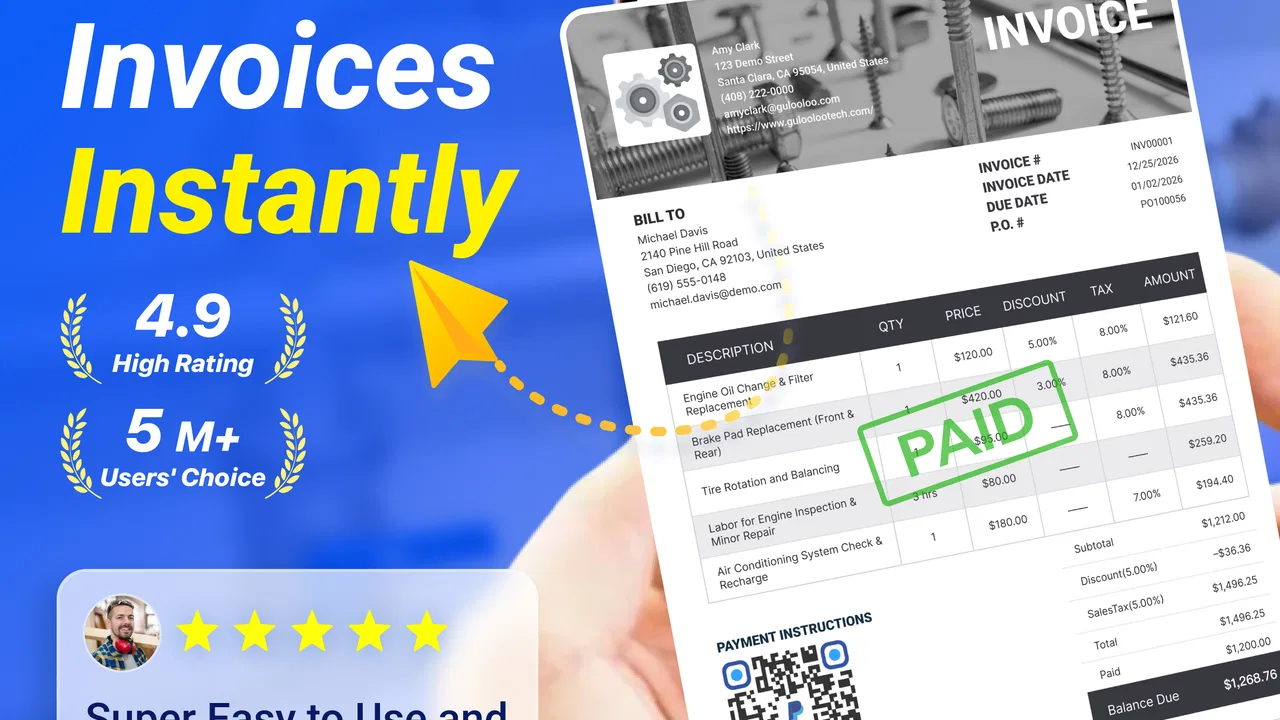
I like business apps that remove one awkward task from my day without asking me to rebuild my entire workflow. Invoice Maker - InvoiceBase takes that approach. It is a free business app from Gulooloo Tech Co., Ltd. for creating invoices and estimates on a phone, and my overall impression is that it is most useful as a practical tool for freelancers, independent tradespeople, and small operators who need to turn a completed job into a professional-looking document quickly.
Its appeal is easy to understand: instead of opening a spreadsheet, searching for an old document, adjusting formulas, and checking whether the layout will print properly, I can work from an invoice-focused interface. That narrower purpose is also the app’s main strength. It does not try to become an entire accounting department. It concentrates on the part of the sales process that often happens between a conversation with a customer and getting paid.
My main recommendation is simple: use InvoiceBase when speed and repeatable document creation matter more than deep bookkeeping. It can make everyday invoicing less intimidating, but it should not be mistaken for a complete replacement for accounting software, tax preparation, inventory management, or a full customer relationship system.
You May Also Like

 Blood Strike: 2.5 Anniversary
Blood Strike’s Loadouts Turn Every Drop Into a Tactical Gamble
A close look at Blood Strike’s custom loadouts: how fast access to signature weapons reshapes its battle royale rhythm, rewards preparation, and narrows the gap between fights.

 Pandora - Music & Podcasts
Pandora’s Music Is Easy to Start, but Harder to Recover
Pandora’s strength is its low-effort path from a seed to a station. Its weak spot is how much confidence it asks you to place in connection, setup, and quiet recovery.

 8 Ball Pool
 Is Built on Rivalries, Rematches, and Routine
A close look at the rivalries, rematches, shared routines, and unanswered safety questions that turn a quick pool match into a persistent mobile community.

 Samsung Music
’s Quiet Strength Is Playing What You Already Own
Its reach comes less from spectacle than from dependable access to a personal library. That simplicity is both the app’s strongest retention engine and its ceiling.

 AccuWeather: Weather Radar
AccuWeather Review: A Quick, Clear Forecast for Everyday Decisions
For everyday plans, the best forecast is the one you can understand quickly. AccuWeather makes rain timing, radar, and local conditions easy to act on, with a few trade-offs.

 Hill Climb Racing
Why Hill Climb Racing Still Turns Crashes Into One More Run
A tiny car, a bumpy hill and one more upgrade: Hill Climb Racing keeps resurfacing because its simple chaos makes every near-miss feel personal.
More From Our News Desk



How InvoiceBase feels in everyday business use
The first thing I noticed is that the app makes more sense when I think in terms of a workflow rather than a single invoice. A small business owner may receive a request, prepare an estimate, complete the work, and then need to issue an invoice while the details are still fresh. Keeping those stages connected in one mobile tool is more convenient than leaving notes in a messaging app and rebuilding the document later.
A realistic example would be a freelance designer finishing a logo project from a café. The client has approved the final files, but the designer does not want to wait until returning to a laptop. With InvoiceBase, the useful workflow is to create the document while the project name, agreed service, and amount are already visible in the conversation. That reduces the chance of forgetting a line item or sending an invoice with an outdated total.
The same idea applies to a cleaner, repair worker, photographer, tutor, consultant, or home-based seller. These businesses often do not need complex stock controls or multi-department approvals. They need a clear estimate before work begins and a clear invoice afterward. A phone-first tool is particularly helpful when the work happens away from a desk.
InvoiceBase is listed as a business app, and that description fits its practical role. It is not entertainment software dressed up with business language. The focus is on documents that support a transaction. That focus gives it a more approachable feel than opening a large accounting platform for a job worth a modest amount.
Estimates are more useful than they first appear
Many people think of invoicing as the important part and treat estimates as optional. In my experience, estimates are where misunderstandings often begin. A customer may remember a total but forget whether materials, revisions, travel, or additional work were included. Preparing an estimate before starting creates a written reference for both sides.
That makes the estimate function valuable for service providers who regularly adjust a job after the first conversation. I would use it to separate the agreed work from possible extras, rather than sending a vague message with one rounded figure. If the scope changes, creating a fresh estimate is safer than editing an old invoice and leaving the customer unsure about what changed.
There is also a useful psychological difference between sending a casual price message and sending a formal estimate. The latter signals that the work has been considered carefully. InvoiceBase helps a solo operator present that structure without needing design skills or a desktop publishing program.
A repeatable process can prevent small mistakes
The real time saving is not only the act of typing an invoice. It comes from making the process repeatable. If I invoice similar services regularly, I can think through the wording and structure once, then use the same approach rather than improvising every time. That consistency matters because small errors often appear when a busy person recreates documents from memory.
I would recommend setting up a personal checklist before relying on any invoice app: confirm the customer name, describe the actual service, check the quantity or rate, review the total, and verify the payment instructions. An app can make document creation easier, but it cannot decide whether I entered the correct agreement. InvoiceBase works best when it supports a disciplined process instead of encouraging me to tap through without reviewing the result.
One non-obvious advantage of a focused invoice tool is that it can reduce the temptation to overcomplicate a document. Spreadsheet users often add extra columns, formulas, or formatting because they can. That flexibility is useful for advanced cases, but it can also produce invoices that are difficult for customers to read. A purpose-built mobile interface is more likely to keep the document centered on what the customer needs to understand.
Where it sits beside spreadsheets and accounting platforms
Compared with a spreadsheet, InvoiceBase should be easier for someone who does not enjoy building templates. A spreadsheet gives more control over formulas, custom reports, and unusual pricing structures, but that control comes with responsibility. I have seen simple invoicing tasks become fragile because a user copied a row incorrectly or changed a formula while editing a document.
Compared with a full accounting platform, InvoiceBase is likely to feel lighter and quicker for a one-person operation. The trade-off is important: a dedicated accounting system is normally the better choice when I need broad financial records, detailed reporting, tax workflows, bank reconciliation, inventory, or collaboration across a team. I would not choose InvoiceBase as the only business system for a growing company with several people handling finance.
Compared with writing invoices manually in a document editor, the app offers a more direct purpose. A document editor may be enough for occasional billing, but it encourages users to manage their own layout and duplicate old files. That can lead to inconsistent branding or accidental reuse of the wrong customer details. InvoiceBase is better suited to people who want a dedicated place for this recurring task.
The mobile setting is both its strength and its boundary
Working on a phone is convenient when I am between appointments, at a job site, or away from a computer. It also makes the app accessible to people who do not want to learn desktop accounting software. The store summary presents it as a way to save time and support business growth, and I think that promise is most credible for small, straightforward operations rather than complex companies.
However, a phone screen is still a phone screen. Reviewing a long invoice with many items is less comfortable than checking it on a larger display. I would be more cautious with projects that involve extensive descriptions, numerous materials, or several rounds of revisions. In those cases, I would prepare the details elsewhere, then use the app for the final document only if the structure remains easy to review.
This is one reason I would not automatically recommend it to every business owner. A mobile-first workflow is excellent for short service invoices, but it can become tedious when the document resembles a detailed project statement. The right choice depends less on the app’s general quality than on how complicated the user’s billing needs are.
What the cost and availability mean for a small operator
Invoice Maker - InvoiceBase is free to download, which makes it easy to test without committing money at the beginning. The app is rated for Everyone, and the minimum operating system requirement is Android 5.0, so it is positioned for broad accessibility on Android devices rather than only recent phones.
There are in-app purchases ranging from $2.99 to $119.99 per item. That range is worth treating carefully. A free starting point is helpful, but I would inspect the purchase screen before building my whole business process around the app. The important question is not simply whether the app can be installed at no cost; it is whether the functions I need for regular work remain comfortable within the free experience.
I also appreciate that a free trial path lowers the risk for a new freelancer. I could test the process with a sample customer and a small estimate before using it for real work. My advice would be to create a practice document, review the finished result, and confirm that the workflow suits the way I record services. That is more useful than judging the app only by its store screenshots or rating.
Signs of adoption, without treating popularity as proof
The app has passed 1 million installs and holds a 4.9 average from around 46 thousand ratings. Those figures suggest that the basic idea resonates with a large number of users. They are encouraging, but they do not answer the questions that matter most for an individual business, such as whether the document structure fits a particular industry or whether the paid options match a specific workflow.
There are also around 577 written reviews, which can be useful for spotting recurring experiences when deciding whether to try it. I would still read them with a practical filter: look for comments from people with a business model similar to mine, rather than assuming a positive rating automatically means the app handles every type of invoicing.
The developer, Gulooloo Tech Co., Ltd., has kept the product focused around invoices and estimates. That narrow identity is preferable to an app that claims to manage everything but does each task superficially. At the same time, a focused product requires me to know where my accounting responsibilities begin and end.
Limitations I would consider before depending on it
The biggest limitation is scope. InvoiceBase can support the document-creation side of a business, but an invoice is only one part of financial administration. I would still need a reliable way to track whether customers have paid, organize receipts and expenses, prepare tax information, and understand cash flow. If those tasks are central to my business, a broader accounting service would be a better foundation.
Another potential friction point is complexity. A solo professional with a few services can keep an invoice readable. A company that sells many products, applies layered discounts, manages recurring contracts, or needs detailed inventory records may outgrow a simple mobile invoice workflow. In that situation, the app could remain useful for quick estimates, but I would not want it to become the only source of financial truth.
I would also avoid assuming that a polished document automatically proves payment or agreement. An estimate is not the same as a confirmed contract, and an invoice is not the same as a payment record. My practical tip is to keep the customer’s approval and payment evidence in a separate, organized place. This small distinction prevents a common mistake: treating document generation as complete transaction management.
There is a further trade-off with convenience. The faster I create a document, the easier it is to skip a careful review. Before sending anything, I would check names, dates, descriptions, amounts, and payment terms. This is especially important when duplicating a previous job or working while distracted. The app can reduce repetitive work, but it cannot protect me from carrying an old detail into a new invoice.
Who will get the most value from it?
I think InvoiceBase is a strong fit for freelancers, contractors, independent consultants, and small service businesses that need professional estimates and invoices without a large setup project. It is also suitable for someone moving away from handwritten bills or improvised document templates and looking for a more consistent routine.
It is particularly appealing when work happens outside an office. A photographer finishing a shoot, a repair technician leaving a customer’s property, or a tutor wrapping up a session may value the ability to prepare the next business document immediately. In these cases, the app’s convenience is not just about saving keystrokes; it helps keep administration connected to the moment when the details are clearest.
I would be more cautious about recommending it to a company with multiple staff members, complicated approval processes, substantial inventory, or demanding financial reports. Those users should prioritize software built around accounting controls and shared business records. InvoiceBase may still be a handy front-end tool, but it should not be expected to replace a system designed for those responsibilities.
It is also not the best choice for someone who wants extensive customization above all else. A spreadsheet or document editor may offer more freedom for unusual layouts and pricing models. That flexibility comes at the cost of maintenance, but it can be worthwhile when every invoice is highly individual or when reporting depends on custom formulas.
Practical tips for using it responsibly
I would begin with a test customer rather than immediately importing real business activity. Create one estimate, convert the idea into an invoice workflow, and inspect the final wording as if I were the recipient. This reveals whether the app supports the level of detail I need and whether the process feels natural on my particular phone.
Next, I would establish a naming routine for customers and services. Consistent descriptions make later searching and reviewing easier, even if the business is small. I would also avoid vague labels such as “work” or “project” when a more precise description would help the customer understand the charge.
For variable jobs, I would use the estimate as a boundary-setting tool. Write down what is included before starting, then treat additional requests as a change that deserves a fresh conversation. This is a more valuable use of the app than simply making a document look formal.
Finally, I would pair the app with a separate payment-tracking habit. A simple weekly review of unpaid invoices can prevent the classic small-business problem of completing administrative work but forgetting to follow up. InvoiceBase can help create the invoice; I still need a routine that turns an issued invoice into a monitored receivable.
My final verdict on Invoice Maker - InvoiceBase
After looking at it as a real business tool rather than just a document generator, I see Invoice Maker - InvoiceBase as a sensible choice for people who want a quick mobile route from service agreement to estimate or invoice. Its free entry point, Everyone age rating, and support for Android 5.0 or later make it approachable, while its strong user response indicates that the focused concept works for many small operators.
The current version is 1.02.55.0207, and the app’s value depends less on advanced financial management than on whether it makes recurring billing easier to perform consistently. That is a modest goal, but it is a useful one. Many independent workers do not need another complicated platform; they need to stop postponing invoices and present their charges clearly.
I would recommend trying it if I ran a small service business, worked mostly from a phone, and wanted estimates and invoices without starting with a full accounting suite. I would skip it as my primary system if I needed inventory, detailed tax management, team permissions, or comprehensive payment reconciliation. For quick, repeatable invoicing on Android, InvoiceBase earns a recommendation; for complete financial control, it should be one tool in a wider setup.
FAQs for Invoice Maker - InvoiceBase
01What features does Invoice Maker - InvoiceBase offer for creating invoices?
Invoice Maker - InvoiceBase provides a comprehensive suite of features for creating invoices. Users can customize templates, add logos, and input detailed information such as item descriptions, quantities, and prices. The app also supports multiple currencies and tax calculations, making it versatile for international business. Additionally, invoices can be sent directly through email or saved as PDFs.
02Is Invoice Maker - InvoiceBase easy to use for beginners?
Yes, Invoice Maker - InvoiceBase is designed with user-friendliness in mind. Its intuitive interface guides users through each step of the invoicing process. The app includes helpful tutorials and customer support to assist beginners in navigating its features effectively, ensuring a smooth invoicing experience without any prior technical knowledge.
03Does Invoice Maker - InvoiceBase integrate with other business tools?
Invoice Maker - InvoiceBase offers integration capabilities with various business tools to enhance productivity. It can sync with popular accounting software, payment gateways, and cloud storage services. This integration allows for seamless data transfer and management, making it easier for businesses to keep track of their financial transactions and client communications.
04How secure is my financial data on Invoice Maker - InvoiceBase?
Invoice Maker - InvoiceBase prioritizes the security of your financial data. The app employs encryption protocols to protect sensitive information and offers secure cloud storage options. Regular security updates and compliance with data protection regulations further ensure that your data remains safe from unauthorized access and breaches.
05What is the cost structure for using Invoice Maker - InvoiceBase?
Invoice Maker - InvoiceBase offers a variety of pricing plans to suit different business needs. There is a free version with basic features, while premium plans provide advanced functionalities such as unlimited invoices, additional templates, and enhanced support. Users can choose monthly or annual subscriptions based on their budget and requirements.
Pros
- User-friendly interface simplifies billing.
- Customizable templates enhance branding.
- Supports multiple currencies.
- Quickly generates detailed reports.
- Integrates with major accounting software.
Cons
- Limited free trial options available.
- Occasional syncing issues reported.
- No offline mode functionality.
- Advanced features require premium plan.
- Infrequent updates for new features.

Invoice Maker - InvoiceBase
Gallery